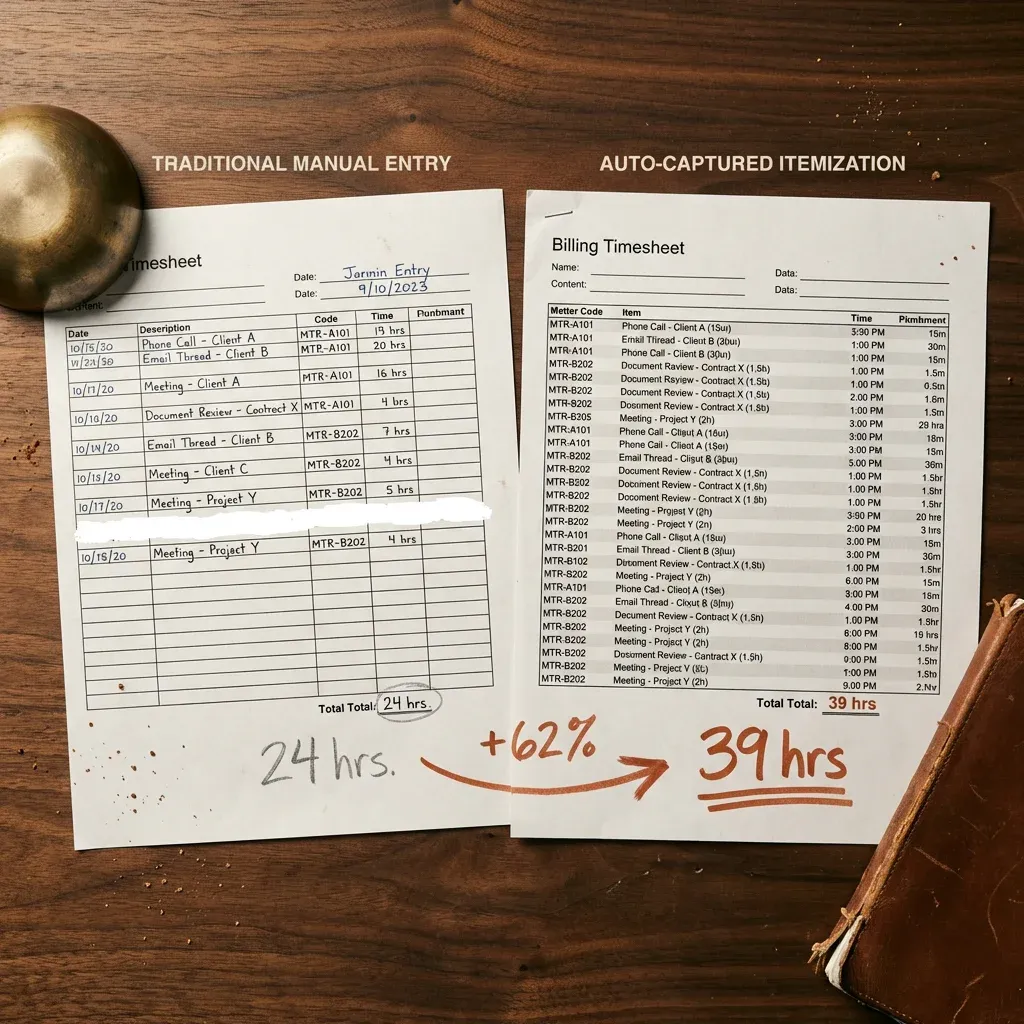
*Last updated May 23, 2026 — added Microsoft Power Automate and AI agents to the platform lineup, a side-by-side comparison table, an "AI agents vs. workflow automation" breakdown, and four new FAQs.*
We've built over 30 workflow automation systems for small businesses. Contractors, professional services firms, promotional products companies, home service operators. We've seen what works. We've seen what fails. And we've learned things the tool companies will never tell you, because it's bad for their sales pitch.
Most "best workflow automation software" articles are affiliate bait. Vendors sponsoring rankings of other vendors. Nobody's actually used half the tools they're recommending. This one is different: every platform below is one we've personally deployed for paying clients. The recommendations come with real use cases, real costs, and real trade-offs, including when not to use each one.
But first, a warning that will save you more money than any tool pick:
The tool is almost never the problem. The businesses that fail at automation fail before they ever pick a platform. They skip the boring work (documenting what they actually do every day) and jump straight to buying software. Then they wonder why nothing changed. Or worse, why things got messier.
If you're bleeding time on manual work, workflow automation for small business only pays off when you get both pieces right: the software recommendations you came for, and the process that makes them actually pay off.
What Changed in 2026
Workflow management still lives or dies on documentation. The tools got smarter. The work didn't. If you skipped the boring part last year, no AI agent is going to save you in 2026.
That said, three things shifted enough this year to be worth naming. We're updating this guide because we've watched all three play out in client builds since January.
AI agents stopped being a demo. Zapier Agents, Relay, Gumloop, and Lindy now ship LLM reasoning as a node inside the workflow, not a feature flag in the marketing deck. We've put one into production for a client drowning in unstructured intake email. It works. For most of our other 30+ builds, an agent is still solving a problem the client doesn't actually have. Real for some. Marketing for most.
Pricing models got worse. Operation-based and credit-based pricing crept into platforms that used to be flat-rate. We've watched a $19/month Zapier bill cross $480/month inside 90 days when a single new workflow started firing on every CRM update. Stop paying for promises. Run the numbers at projected volume, not trial volume, before you sign up for anything.
Microsoft Power Automate became the default no one talks about. If your team lives in Microsoft 365, it's already bundled in your subscription. We added it to the lineup below for that reason. Stop paying twice for a tool you already own.
For trades and home services owners, the cost of getting any of this wrong has gone up, not down. Material prices moved. Labor moved. Owner time is still the most expensive input in the building. Seasonal crews feel it hardest, which is why landscaping marketing and the systems behind it have to pace with the year instead of running flat. The rest of this guide walks the process and the platforms.
---What to Automate First (When You're Starting From Scratch)
If you're starting from zero, automate in this order. We've audited 30+ small businesses and the same five workflows show up first every time:
Each one is broken down with real before/after numbers further down. If you can only build one, build #1. Speed-to-lead pays for the rest.
---The 6 Workflow Automation Platforms We Actually Deploy (Updated for 2025 & 2026)
Before the process guide, here's what you probably came for: the tools. These are the six platforms we've actually built production automations on for paying clients. Not a list of everything that exists. Not vendors who paid for placement. Just the ones we keep coming back to and why. The goal is the same for every owner who wants to automate business workflows: fewer manual handoffs, one system of record, and time back.
One warning before you pick: the best workflow automation software for your business depends entirely on your process, not on rankings. We've watched businesses succeed with Zapier and fail with n8n, and vice versa. Read this section for directional guidance, then read the rest of the guide before you sign up for anything.
1. n8n — Best for Ownership and Deep Flexibility
What it is: An open-source workflow automation platform you can self-host or run in the cloud. Visual node-based editor with the ability to drop into code when you need to.
Best for: Businesses that want real ownership of their automation infrastructure, teams integrating systems that don't play nicely with consumer platforms, and anyone who's outgrown Zapier or Make and needs more control.
Cost: Free (self-hosted) or starting around $20/month (cloud). Scales with workflow executions, not per-user.
The trade-off: Steeper learning curve than Zapier or Make. Expect a real ramp-up period. The flexibility is the reward.
When it's wrong: If you're a non-technical owner who just needs two apps to talk to each other, n8n is overkill. Start with Make or Zapier and graduate when you hit the ceiling.
2. Make (formerly Integromat) — Best Visual Workflow Builder
What it is: A visual workflow builder that lets you see every step of your automation as a flow chart. Strong error handling, branching logic, and iteration capabilities.
Best for: Owner-operators and small teams who want to build without code but need more power than Zapier's linear workflows. Also strong for data transformation and API-heavy work.
Cost: Free tier for low volume. $9-$29/month covers most small business needs. Scales with "operations" (every action counts).
The trade-off: Can get expensive as volume scales. The operation-based pricing surprises people who assumed they'd be on the $9/month plan forever.
When it's wrong: For very high-volume transactional automation where you're burning through operations fast. Switch to n8n when this becomes the bottleneck.
3. Zapier — Best for the Simplest Possible Path
What it is: The most well-known automation tool. Massive library of app integrations. Linear trigger-action workflows with light branching.
Best for: One-off integrations, small teams getting started, and proof-of-concept work before you invest in something heavier. If two apps need to talk and you need it done today, Zapier is often the fastest path.
Cost: Free for basic use. $19.99-$73.50/month for most small business plans. Scales with tasks.
The trade-off: Runs 4-15x more expensive than Make at the same workload above 5,000 tasks/month. We've watched a $19/month bill cross $400/month inside 90 days of go-live on a single client. Some workflows break silently (fail without notifying you). Less powerful logic than Make or n8n. Porting out is real but not catastrophic: most flows rebuild in Make in about a day, in n8n in two to three.
When it's wrong: Complex multi-step workflows where reliability matters, anything with nested conditional logic, or high-volume workflows where task-based pricing eats your margin.
4. GoHighLevel — Best for Service Businesses and Home Services
What it is: An all-in-one platform built specifically for service businesses: CRM, pipeline management, calendar booking, SMS/email automation, funnels, and workflow automation stitched together. The workflow builder is decent. The power is in the integration with everything else GHL does.
Best for: Home services contractors, trades businesses, and any operation where the core automation need is lead capture → follow-up → appointment → customer nurture. If your automation strategy lives inside customer lifecycle, GHL covers most of it in one tool.
Cost: $97-$497/month depending on plan. White-label options available for agencies.
The trade-off: Opinionated software. Does a lot of things competently, not all of them excellently. You'll fight it if you want to work outside its worldview.
When it's wrong: Non-service businesses that need heavy custom integrations, or any business where the core workflow isn't customer lifecycle automation.
5. Airtable + Automations — Best for Spreadsheet Refugees
What it is: A database that looks like a spreadsheet with built-in automation capabilities. When people outgrow Google Sheets, Airtable is usually the next stop.
Best for: Teams currently running operations out of spreadsheets, small businesses with custom data models that don't fit off-the-shelf CRMs, and anyone where "the database IS the workflow."
Cost: Free tier for small use cases. $20-$45/user/month for most business plans.
The trade-off: Database-first thinking. Less powerful for pure system-to-system automation than Make or n8n. Best when the data lives in Airtable too.
When it's wrong: Teams that need real system-to-system automation across many external platforms (use Make or n8n instead).
6. Native Platform Automations (HubSpot, Monday, ClickUp, Notion)
What it is: The built-in automation capabilities inside the platforms you already use. Every major SaaS tool now has some version of "when X happens, do Y" baked in.
Best for: Teams already standardized on one of these platforms. If 80% of your daily work already lives in HubSpot, use HubSpot's automation before you add another tool to the stack.
Cost: Usually included in your existing subscription. Free.
The trade-off: You're locked into that ecosystem. When the platform adds a feature, great. When it removes one or changes pricing, you're stuck.
When it's wrong: When you need to orchestrate across multiple platforms, or when the native automation is clearly not keeping up with your needs.
7. Microsoft Power Automate — Best for Microsoft 365 Shops
What it is: Microsoft's workflow automation platform, bundled into most Microsoft 365 business subscriptions. Connects Outlook, Teams, SharePoint, Excel, Dynamics, and a long tail of other Microsoft and third-party services. Drag-and-drop builder with a deeper Power Automate Premium tier for AI Builder and RPA flows.
Best for: Small businesses already standardized on Microsoft 365. If your team lives in Outlook, Teams, and SharePoint, this is already in your subscription. Stop paying twice for a tool you already own.
Cost: Included with most Microsoft 365 Business plans. Premium licensing for AI Builder, RPA, and unattended flows runs $15-$40/user/month on top of base M365.
The trade-off: Clunky outside the Microsoft ecosystem. Advanced flows still need a real developer. The UI feels like a Microsoft product — power, not polish.
When it's wrong: Non-Microsoft shops (Google Workspace teams), heavy custom integrations with non-MS apps, or anyone who needs the visual clarity of Make. Activepieces is the closest open-source alternative if n8n feels too heavy and you want to avoid the Microsoft stack entirely.
8. Zapier Agents / Relay / Gumloop — Best for AI-First Workflows
What it is: The new category. LLM reasoning baked into the workflow node itself. Instead of "if X, do Y," an agent reads input (an email, a document, a call transcript), decides what it is, and picks the action. Zapier Agents, Relay, Gumloop, and Lindy are the four we've kicked the tires on.
Best for: Businesses drowning in unstructured input — inbound voice and email, contracts and quotes, intake forms, qualification work no human is doing today. Real for some clients. Marketing for most.
Cost: $50-$500/month depending on usage. Per-execution AI costs can spiral fast on high volume. Budget for 2-3x your projected cost in the first 60 days while you tune.
The trade-off: Probabilistic, not deterministic. Tolerates 5-10% error by design. You need a human-in-the-loop step for anything financial, regulated, or customer-facing.
When it's wrong: Predictable, rule-based work where a normal Zapier or Make flow does the job at a tenth the cost. If you can write the logic as a flowchart, you don't need an agent.
| Platform | Best for | Starting price | Pricing model | Learning curve | When NOT to use |
|---|---|---|---|---|---|
| Zapier | Two apps need to talk today | $19.99/mo | Task-based | Low | High-volume or complex logic |
| Make | Visual multi-step flows | $9/mo | Operation-based | Medium | Burning ops on transactional volume |
| n8n | Ownership + flexibility | Free self-host / $20/mo cloud | Execution-based | High | Non-technical owner needing it today |
| GoHighLevel | Service / trades lifecycle | $97/mo | Tiered SaaS | Medium | Non-service or custom-integration heavy |
| Airtable | Spreadsheet refugees | $20/user/mo | Per-seat | Low | Cross-system orchestration |
| Native (HubSpot/Monday) | Single-platform shops | Included | Bundled | Low | Cross-platform orchestration |
| MS Power Automate | Microsoft 365 shops | Included in M365 | Bundled / per-flow | Medium | Non-Microsoft ecosystems |
| Zapier Agents / Relay / Gumloop | Unstructured input + judgment | $50/mo | Usage / execution | Medium | Predictable rule-based work |
No vendor paid for placement. Real costs, real trade-offs. Your bill will look nothing like the marketing page if you scale.
But picking the tool is the easy part. The hard part, and the part that separates the businesses that succeed with automation from the ones that waste $10K on shelfware, is the work that happens before you log into any of these platforms. That's the rest of this guide.
---The Myth: Just Buy a Tool and Everything Gets Better
Let's get this out of the way. You cannot buy your way to automation.
We watch it happen constantly. A business owner reads a blog post about Zapier or Make, signs up for a trial, connects two apps, builds one automation, and declares the project complete. Three weeks later the automation is off, nobody remembers why, and the team is back to doing everything by hand.
Here's why that cycle repeats: you can't automate what you haven't documented.
Most small businesses have zero written standard operating procedures. The process for creating an estimate lives in the owner's head. The follow-up sequence for new leads depends on which salesperson remembers. The monthly close works because one person has done it the same way for six years, and when she takes vacation, nothing gets reconciled.
When you try to automate a process that exists only as tribal knowledge, you're building on sand. The automation can't handle exceptions because nobody defined what the exceptions are. It can't route decisions because nobody mapped the decision tree.
And it gets worse. If the underlying process is broken (redundant steps, missing handoffs, data entered in three places), automation doesn't fix it. It accelerates it. You get broken data faster. You get wrong answers at scale. You get a mess that's harder to untangle than the manual version because now there's code involved.
The Real Process: Document, Optimize, Automate
Every successful automation project we've delivered follows the same three-step sequence. Skip a step and the whole thing falls apart.
Step 1: Document What Actually Happens
Not what should happen. Not what the employee handbook says. What actually happens on a Tuesday afternoon when three things go wrong simultaneously.
We start every engagement the same way: we sit with the people who do the work. We record screen shares. We ask "and then what?" about forty times. We map every step, every decision point, every exception, every workaround that someone invented because the "official" process doesn't cover reality.
This usually takes 1-2 weeks for a single workflow. It's not glamorous. But it's the foundation.
The output is a written SOP (a standard operating procedure) that captures the real process from trigger to completion. Every step. Every "if this, then that." Every "call Mike because he's the only one who knows the login."
Step 2: Optimize Before You Automate
Once the process is documented, we read it with fresh eyes and ask: does this make sense?
Almost always, the answer is no. We find steps that exist because "that's how we've always done it." We find data being entered in three different systems when one would do. We find approvals that add two days to a timeline and catch nothing. We find handoffs where information gets lost because it moves from email to spreadsheet to text message.
Optimization means removing waste, consolidating steps, eliminating redundancy, and simplifying decision points. The goal is a clean, logical process that a reasonably sharp new hire could follow on their first day.
Here's our litmus test:
Step 3: Now Automate
Only after the process is documented and optimized do we bring in the automation tools. At this point, the work is almost mechanical. The decision tree is mapped. The data sources are identified. The triggers and actions are defined. The tool just executes what's already been designed.
This is why the tool doesn't matter nearly as much as people think. Zapier, Make, n8n, custom code: they're all means to the same end. We pick the tool that fits the client's technical comfort level, budget, and existing tech stack. The outcome is what matters: time saved, errors eliminated, revenue recovered.
What Actually Gets Automated (And the ROI That Follows)
After 30+ builds, we see the same six workflows draining small businesses over and over. Here's what each one looks like broken, what it looks like automated, and what the business outcome actually is.
1. Lead Follow-Up and Nurture
What it looks like broken: A new lead comes in from your website, a Google ad, or a referral. It sits in an inbox. Someone gets to it when they get to it. Maybe in an hour, maybe tomorrow, maybe never. The prospect has already called two competitors by the time you respond. If you do respond, there's one email or one call, and if they don't convert immediately, they vanish into a spreadsheet that nobody revisits.
What it looks like automated: The lead hits your CRM and triggers an instant acknowledgment (text, email, or both) within 60 seconds. A nurture sequence kicks off: a series of touchpoints over the next 14-30 days, mixing helpful content with soft calls to action. If the lead engages (opens an email, clicks a link, visits your pricing page), the system flags them as warm and notifies your sales team to make a personal call. If they go cold, they enter a long-term drip that keeps your business top of mind until they're ready.
The business outcome:
(before)
(after)
Speed-to-lead drops from hours to seconds. Nurture touchpoints go from 1-2 to 8-12 per prospect. We've seen close rates increase 15-25% just from consistent follow-up that the team couldn't sustain manually.
2. Administrative Data Entry Between Platforms
What it looks like broken: Your team copies customer information from the CRM to the project management tool. Then from the project management tool to the invoicing platform. Then from the invoicing platform to the accounting system. Same data, entered four times, with four chances to make a typo. When something doesn't match, nobody knows which version is correct.
What it looks like automated: Data enters once. When a deal closes in your CRM, the project is created automatically in your PM tool with the correct client info, scope, and timeline. When the project hits a billing milestone, the invoice generates in your accounting platform with the right line items and client details. One entry, zero re-keying.
The business outcome:
from data entry
in errors
But the bigger win is data integrity. When your systems agree with each other, you can actually trust the numbers in your reports.
3. Estimates and Proposals
What it looks like broken: This is the one that hits hardest for trades businesses. We worked with a Tennessee contractor who was spending 14-16 hours on every estimate. Pulling material costs, calculating labor, writing scope descriptions, formatting the document, getting it reviewed, sending it out. Ten estimates a month meant 140-160 hours. That's almost an entire month of the owner's time, just on estimates.
What it looks like automated: The system pulls material pricing from supplier databases, auto-populates labor calculations based on project type and square footage, generates scope descriptions from templates, and assembles the estimate document in a branded format. The owner reviews for 2-3 hours, checking the numbers, adding project-specific notes, making judgment calls the system can't, and sends.
The business outcome:
(before)
(after)
Not theoretical savings. Actual hours the owner now spends on business development, job site supervision, and the strategic work that grows revenue.
4. Document Intelligence (Invoices, Contracts, Quotes, Inspections)
This used to be just "invoice OCR." It isn't anymore. The same toolset now handles vendor invoices, signed contracts, customer purchase orders, supplier price sheets, inspection reports, intake forms — anything that arrives as a PDF, an email body, or a photo and needs structured data extracted. Five years ago this needed OCR plus regex plus a developer. Today a $50/month tool does 90% of it, and a knowledge system routes the output to the right place.
What it looks like broken: Vendor invoices, signed contracts, and supplier quotes arrive by email, sometimes as PDFs, sometimes as photos of paper invoices. Someone manually opens each one, identifies the vendor or counterparty, reads the line items, and types them into the right system. It takes 15-30 minutes per document. For a business processing 100+ documents a month, that's 25-50 hours of data entry — and the version on file is whatever the typist remembered to capture.
What it looks like automated: Documents hit a shared inbox or upload folder. The system reads each one (OCR for scanned docs, structured extraction with an LLM for messier inputs), identifies the document type, captures the fields that matter, matches them against POs or existing contracts where relevant, and pushes the data into your accounting, CRM, or contract repository for review. A human still approves, but they're reviewing pre-populated data, not typing from scratch.
The business outcome:
(100 invoices/mo)
(same volume)
Errors from manual transcription drop to near zero. And your books close faster because the data flows in real-time instead of piling up for a monthly marathon.
5. End-of-Month Financial Rollups
What it looks like broken: The last week of every month is chaos. Someone pulls numbers from four platforms into a spreadsheet. They reconcile discrepancies. They build the report manually. They send it to the owner, who asks questions that require digging back into the raw data. The whole process takes 2-3 days, and by the time the owner sees the numbers, they're already two weeks stale.
What it looks like automated: Data aggregates automatically throughout the month. On the 1st, a report generates with revenue by source, expenses by category, margins by service line, and cash flow projections. It lands in the owner's inbox before they finish their coffee. Anomalies are flagged. Comparisons to prior months are built in.
The business outcome:
(before)
(after)
Financial visibility goes from monthly-lagging to near-real-time. Owners make decisions based on current data instead of last month's guesses.
6. SOW and Proposal Generation
What it looks like broken: Every proposal starts from scratch, or from a copy of the last one with half the details still referencing the wrong client. The team writes scope descriptions that should be standardized but aren't. Pricing gets calculated differently every time. The result is inconsistent, slow, and riddled with embarrassing errors like the wrong company name in paragraph three.
What it looks like automated: The system pulls client information from your CRM, populates scope templates based on service type, calculates pricing from your rate card, and generates a polished document. The salesperson customizes the narrative sections and sends. Total time: 30-45 minutes instead of 3-4 hours.
The business outcome:
(before)
(after)
Win rates improve because prospects get a professional document while the conversation is still fresh. And the team stops reinventing the wheel on every deal.
---What to Look For in an Automation Partner
If you're evaluating someone to build workflow automation for your small business, here are the questions that actually matter. Not "how many integrations does your platform support." The real ones. If you'd rather have someone else own the build end-to-end, this is exactly what done-for-you workflow automation looks like in practice.
If your current approach to automation (or marketing in general) isn't delivering measurable outcomes, it might be worth reading about the signs your current approach isn't working. The same accountability principles apply.
---What Happens After Go-Live
Here's where most automation projects quietly die. The system launches. Everyone celebrates. And then nobody touches it again until something breaks.
That's a problem, because things will break.
APIs change. The platforms you've connected release updates. Endpoints move. Authentication methods change. Data formats shift. An automation that worked perfectly for six months suddenly starts throwing errors because a vendor updated their API without warning. This happens multiple times per year across a typical automation stack.
Data drifts. Your business changes. You add a service line. You restructure your pricing. You hire someone who enters data differently than the person before them. The automation was built for the business as it existed at launch, not the business it becomes six months later.
Models break. If your automation includes AI components (like an AI voice agent handling inbound calls or an LLM parsing documents), the models need monitoring. Accuracy can degrade as input patterns shift. Edge cases pile up. What worked at 95% accuracy in month one might be at 85% by month six if nobody's watching.
New team members join. The people who were trained on the system leave. New hires don't know the automation exists, or don't know how to work with it, or actively work around it because nobody showed them the correct process. Without ongoing training and documentation updates, adoption erodes.
This is why "set it and forget it" is a myth. Every automation system needs:
Build maintenance into the plan from day one, or plan to rebuild from scratch every 18 months. Those are the only two options.
---AI Agents vs. Workflow Automation: What's Actually Different
Most "AI automation" pitches are Zapier with an LLM bolted on. Here's the actual difference, in plain English, with no demo theatre.
Workflow automation executes a defined path. If X happens, do Y. The logic is mapped in advance. The system follows it. Predictable. Auditable. Cheap to run.
An AI agent decides which path. It reads the input, makes a judgment, picks the action. Probabilistic. Sometimes wrong. Reads things you didn't predict it would have to read.
You can hold the two side by side:
| When you have... | Workflow automation | AI agent |
|---|---|---|
| Predictable, structured inputs | Default choice | Overkill |
| Needs judgment on each input | No | Yes |
| Tolerates 5-10% error | Rare | Required |
| Financial or regulated data | Yes | Only with human-in-loop |
| Cost per run | Cents | Dimes to dollars |
In plain qualification language: an agent earns its seat when (a) the input is unstructured, AND (b) the process tolerates 90-95% accuracy, AND (c) a human reviews the flagged exceptions. Miss any one of the three and a normal workflow is the cheaper, more reliable answer.
We've shipped one production AI agent across our last 30+ builds: an inbound intake build for a client receiving 300+ unstructured vendor emails per month, where roughly 70% needed routing to a specific person based on what was actually inside the body of the email. A workflow rule couldn't read the body. An agent could. Routing accuracy ran 92% in the first 60 days, with a human reviewing the flagged 8%. That's the threshold we're watching before we recommend agents more broadly.
For everything else — the lead follow-ups, the data sync, the financial rollups — a normal workflow is faster, cheaper, and won't surprise you on a Tuesday morning. We've shipped 29 of those. We've shipped 1 agent. The ratio tells you something about the hype-to-reality gap. If your business has unstructured input piling up faster than a person can read it, our AI voice agent work falls into that category. Most of what gets called "AI automation" doesn't.
---Your Next Step
Before you evaluate tools, before you talk to vendors, before you spend a dollar: answer these five questions honestly.
If you answered "no" to questions 1 or 2, you don't need automation yet. You need documentation. That's not a bad thing. It's the right starting point, and skipping it is why most automation projects fail.
If you answered "yes" to questions 3 or 4, you're bleeding money on work that machines should be doing. Every week you wait is another week of lost hours and dropped balls.
And if question 5 made you pause, that's the most important number in this entire conversation. You can't calculate ROI on automation if you don't know the cost of the time you're trying to save.
Frequently Asked Questions
How much does workflow automation cost for a small business?
It depends on complexity. Simple automations connecting two platforms (like syncing your CRM to your email marketing tool) can cost a few hundred dollars to set up. Multi-step workflow systems that touch 4-5 platforms with conditional logic typically run $2,000-$10,000 for the initial build, plus $200-$500/month for monitoring and maintenance. The ROI usually pays back the investment within 60-90 days. We've seen single automations save clients $5,000+ per month in recovered time.
How long does it take to implement workflow automation?
The documentation and optimization phases take 2-4 weeks for most small businesses. The actual build takes another 1-3 weeks depending on complexity. Total timeline: 4-8 weeks from kickoff to a production system handling real work. The businesses that try to skip documentation and jump straight to building almost always end up starting over, which means the "shortcut" takes longer.
What tools do you use for workflow automation?
We're tool-agnostic. We use Zapier, Make, n8n, and custom code depending on the client's needs, technical comfort level, and budget. For most small businesses, the platform choice matters far less than the process design. A well-documented, well-optimized workflow will deliver results on any platform. A poorly designed one will fail on all of them.
Will workflow automation work for my industry?
We've built automations for contractors, professional services firms, e-commerce operators, promotional products companies, and home service businesses. The specific workflows differ, but the pattern is the same: document, optimize, automate. If your business involves repetitive processes, data moving between systems, or follow-up sequences that humans forget to execute, automation will work for you.
What happens if an automation breaks?
Something will break eventually: an API update, a data format change, an edge case nobody anticipated. The question is whether anyone notices and how fast it gets fixed. Our systems include error monitoring and alerting so failures get caught in minutes, not weeks. We also build fallback logic: if the automation can't process something, it flags it for human review instead of silently dropping it. The goal is zero silent failures.
What workflows should I automate first?
For most small businesses, the order is: (1) lead follow-up, (2) estimate or proposal generation, (3) data sync between CRM, project management, and accounting, (4) invoice intake from suppliers and vendors, (5) end-of-month financial rollups. We've audited 30+ businesses and the same five show up first every time. If you can only build one, build lead follow-up. Speed-to-lead is the only metric that doubles close rates without changing anything else.
Do I need to know how to code to use workflow automation tools?
No for Zapier, Make, Airtable, Microsoft Power Automate, and GoHighLevel. These are built for non-developers and cover 80% of small business automation needs. Sometimes for n8n, especially for advanced branching, custom nodes, or self-hosting. Almost always for self-hosted Activepieces or fully custom code. If you're not technical, start with Make or Zapier and bring in help only when you outgrow them.
Can I switch automation tools later if I outgrow the one I picked?
Yes, but it's never zero-effort. Documented processes and integration credentials port over fine. Logic, error handling, and edge cases get rebuilt. Typical re-platform timeline runs one to three days per workflow. The bigger risk isn't the rebuild — it's the data sitting inside a platform (contacts, pipeline history, custom fields) that doesn't export cleanly. Pick a tool you can live with for 24 months. The cost of a bad pick is real but not catastrophic.
How secure is workflow automation software for small business data?
Most major platforms — Zapier, Make, Microsoft Power Automate, GoHighLevel — are SOC 2 Type II compliant. Airtable is SOC 2 and GDPR compliant. n8n offers both cloud (SOC 2) and self-hosted (you control everything, including data residency). For regulated industries (healthcare, legal, financial services), self-hosted n8n or Microsoft Power Automate inside a compliant Microsoft 365 tenant are the safer picks. Always confirm where your data is processed and stored — credit-based and operation-based platforms typically log payloads, which matters for HIPAA and PII.
How do I choose the best workflow automation tools for a small business in 2025 and 2026?
Start from the job, not the tool. For most small businesses the shortlist is the six we deploy above — n8n and Make for general business-process automation, Zapier for breadth of connectors, plus the marketing- and IT-leaning options when that's where the work lives. Pick by where your work already happens and what you're willing to own versus rent.
What are the best tools for automating IT and business-process workflows?
For IT-leaning workflows we reach for n8n (self-hosted, full control) and Make (visual, fast to build); for business-process automation across sales, ops, and finance the same two cover most of it, with Zapier when you need a connector nobody else has. The comparison that matters isn't a feature grid — it's ownership, run cost, and who maintains it.
Can I automate business workflows without a developer?
Yes for the common ones — lead intake, follow-up, invoicing reminders, review requests — with Make or Zapier and a weekend of setup. The moment a workflow branches on real business logic or touches money, that's where our six-tool stack and a documented process earn their keep.